Your customers are not waiting. They browse, abandon, convert, and churn in real time, and if your campaigns are running on yesterday’s data, you are already behind. Real-time marketing campaigns close that gap by responding to customer behaviour the moment it happens, turning signals into personalised messages that land when they actually matter.
This guide walks you through exactly how to build them, from the groundwork you need to lay before a single message fires to the optimisation loops that keep performance sharp over time.
What You Need Before Launching Real-Time Campaigns
Before you configure a single trigger, make sure your foundations are solid. Real-time marketing only works when the data feeding it is clean, connected, and accessible at speed. Gaps in your data infrastructure will surface immediately once campaigns go live, so it is worth auditing now rather than troubleshooting later.
Check that the following are in place before you start building:
- A unified customer data source that consolidates behavioural, transactional, and profile data in one place, not scattered across separate tools
- Real-time data ingestion via API, webhook, or a customer data platform that can receive and process events as they happen
- Channel infrastructure ready to send, whether that is email, SMS, push, or web, with suppression lists and consent records up to date
- A clear use case to start with, such as cart abandonment, browse abandonment, or a post-purchase trigger, rather than trying to automate everything at once
- Defined ownership so your team knows who manages trigger logic, who monitors deliverability, and who signs off on creative changes
With these foundations confirmed, you are ready to move into the strategic layer: defining what actually fires your campaigns.
Define Your Triggers and Real-Time Data Signals
A trigger is the specific customer action or data event that starts your campaign. Getting this right is the most important decision you will make in the entire build. Vague triggers produce noisy, irrelevant messages. Precise triggers produce revenue.
Map your triggers against customer intent. Ask: what does this action tell us about what the customer wants right now? A customer who views a flight to Barcelona three times in one session is showing very different intent from someone who opened a newsletter. Your trigger logic should reflect that difference.
- List the behavioural events your platform currently captures, such as page views, product clicks, form submissions, purchase completions, and app opens
- Identify which events signal high intent or a clear next step in the customer journey
- Define the conditions that qualify a trigger, for example, a cart abandonment trigger should fire only after a defined inactivity window, not the moment someone clicks away
- Set suppression rules to prevent a customer from receiving the same trigger-based message twice within a short window
Once your triggers are mapped, document them in a simple table with the event name, qualifying conditions, suppression logic, and the campaign it should activate. This becomes your source of truth as the programme scales.
Build Audience Segments That Update in Real Time
Static segments go stale fast. For real-time personalization to work, your audience segments need to reflect who a customer is right now, not who they were when you last ran a batch export.
Shift your thinking from list-based marketing segmentation to behaviour-based, dynamic segments that a customer can enter and exit automatically based on their actions. A customer who just made a purchase should immediately leave your “lapsed buyer” segment and enter your “post-purchase” flow, without any manual intervention.
- Identify the key segment states relevant to your use case, such as active browser, cart abandoner, recent purchaser, or loyalty tier member
- Define the entry and exit criteria for each segment using behavioural and transactional rules
- Configure your platform to evaluate segment membership continuously rather than on a scheduled refresh
- Layer in profile attributes such as LTV, product category affinity, or location to add depth to your targeting
Verify your segments are updating correctly by checking a handful of test profiles after simulating specific events. If a test profile does not move between segments as expected, review your entry and exit logic before proceeding.
Design and Configure Your Real-Time Campaign Flows
With triggers defined and segments updating dynamically, you can now build the actual campaign flows. Think of each flow as a decision tree: a trigger fires, the customer enters a segment, and the journey logic determines what they receive, when, and on which channel.
Keep your first flows simple. A three-step cart abandonment sequence, for example, is far more manageable to test and optimise than a complex multi-branch journey. Build complexity once the basics are proven.
- Map the full flow on paper or in a whiteboard tool before touching your marketing automation platform, including all branches, wait steps, and exit points
- Configure your entry trigger and connect it to the correct dynamic segment
- Build each message with personalisation tokens that pull from real-time customer data, such as the specific product abandoned, the customer’s first name, or their loyalty status
- Set timing rules carefully. For urgent triggers like a price drop alert, send immediately. For cart abandonment, a short delay of one to two hours tends to outperform instant sends
- Add channel fallback logic where relevant, for example, if a push notification is not opened within four hours, follow up via email
Once the flow is built, review every branch for gaps. Confirm that every entry point has a corresponding exit and that no customer can get stuck in a loop or receive messages after converting.
Test and Validate Campaigns Before Going Live
Real-time campaigns move fast once they are live, so thorough testing before launch is non-negotiable. A misconfigured trigger or a broken personalisation token at scale can damage both deliverability and customer trust quickly.
Run your validation in layers, starting with individual components before testing the full flow end to end.
- Test each trigger independently by simulating the qualifying event with a seed profile and confirming the correct campaign fires
- Check all personalisation tokens render correctly across devices and email clients, including edge cases where data fields might be empty
- Walk through every branch of the journey with test profiles representing different customer states
- Verify suppression rules are working by triggering the same event twice in quick succession and confirming the second send is blocked
- Send a full end-to-end test to a small internal seed list before any customer receives the campaign
After testing, document what you checked and the outcome of each test. This log becomes valuable when troubleshooting issues post-launch or when handing the campaign over to another team member.
Measure and Optimise Real-Time Campaign Performance
Once your campaign is live, measurement is not a one-off task. Real-time marketing campaigns need active performance monitoring, especially in the first few weeks, because small issues in trigger logic or timing can compound quickly at volume.
Focus your initial measurement on the metrics that signal whether the campaign is working as intended, not just whether it is sending. Open rates and click rates matter, but conversion rate and revenue per triggered send are the numbers that confirm the campaign is actually driving results.
- Trigger fire rate: Are the right number of triggers firing? Too few suggests a data or logic issue. Too many suggests your qualifying conditions are too broad
- Conversion rate by branch: Which paths through the journey are converting and which are dropping off?
- Timing performance: Test different send delays to find the window that drives the highest conversion for your specific audience
- Unsubscribe and complaint rates: A spike here signals your campaign is reaching the wrong people or the frequency is too high
Run structured A/B tests on one variable at a time, whether that is the subject line, send timing, or message content. Apply what you learn back into the flow, and schedule a formal performance review every four to six weeks to assess whether the campaign still reflects current customer behaviour.
How Deployteq Powers Your Real-Time Marketing
Building real-time campaigns at scale requires a platform that can handle dynamic data, complex trigger logic, and multi-channel delivery without slowing you down. That is exactly what we built Deployteq to do.
Here is how we make it practical for marketing teams managing high-volume, personalised campaigns:
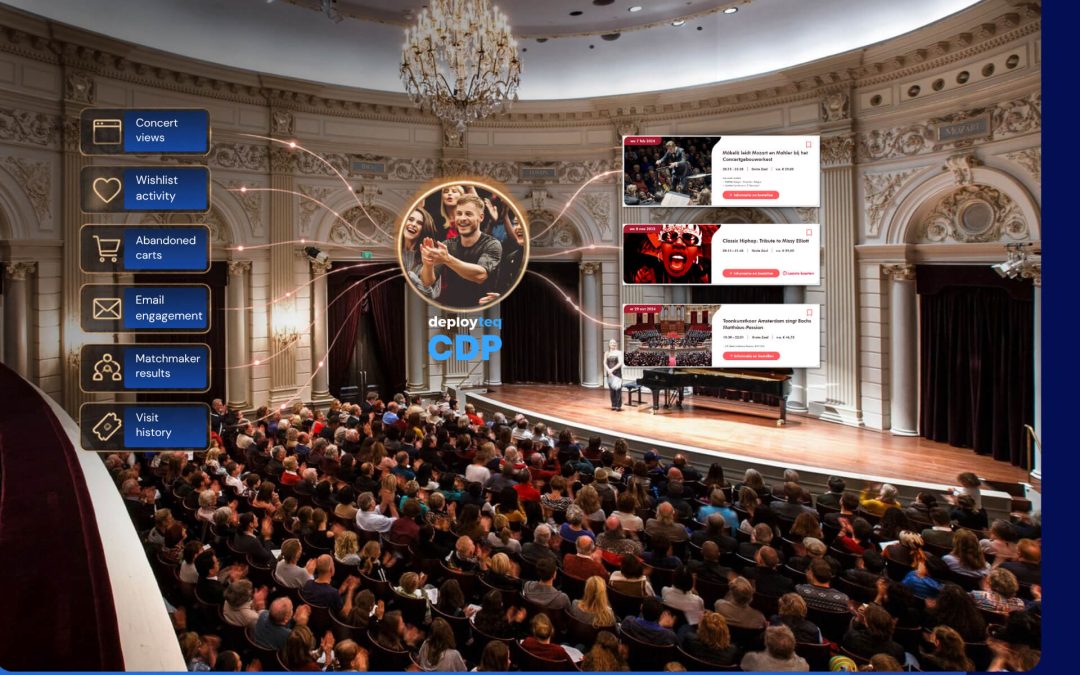
- Customer Data Platform: Our CDP unifies customer data across sources and enables real-time segment updates, so your campaigns always reflect the latest customer behaviour
- Advanced segmentation: Build dynamic segments using behavioural, transactional, and predictive signals, including RFM scoring and next-best-offer modelling
- Journey builder: Design multi-branch, multi-channel flows with full flexibility, connecting email, SMS, WhatsApp, push, and web in a single journey
- Campaign triggers: Configure event-based triggers that fire instantly when a qualifying action occurs, with built-in suppression and frequency controls
- Real-time personalisation: Pull live customer data into every message so content reflects what the customer is doing right now, not last week
If you are ready to move beyond batch-and-blast and build campaigns that respond to your customers in the moment, do a self-guided demo and see how Deployteq fits into your current stack.