Marketing emails land in spam folders when email providers detect suspicious sending patterns, poor authentication, or content that triggers spam filters. Your sender reputation plays the biggest role—it’s built on factors like bounce rates, engagement levels, and complaint rates. Even legitimate marketing emails can get filtered if these elements aren’t properly managed. Understanding why this happens helps you take the right steps to improve email deliverability and ensure your messages reach subscribers’ inboxes.
What actually causes marketing emails to end up in spam?
Several factors work together to determine whether your marketing emails reach the inbox or get filtered into spam. Email spam filters evaluate your sender reputation, authentication setup, content quality, and subscriber engagement patterns. Internet service providers use these signals to decide whether your emails are trustworthy.
Your sender reputation acts like a credit score for email marketing. It’s influenced by how recipients interact with your emails—high open rates and low complaint rates build a positive reputation, while bounces and spam reports damage it. Email providers track these metrics across all your campaigns.
Authentication problems also trigger spam filtering. Without proper SPF, DKIM, and DMARC records, email providers can’t verify that you’re authorised to send emails from your domain. This makes your messages appear suspicious and increases the likelihood that they’ll be filtered.
Engagement metrics matter significantly. If subscribers consistently ignore your emails or mark them as spam, providers interpret this as a sign that your content isn’t wanted. Low engagement rates signal poor sender practices, which leads to future emails being filtered automatically.
How do you check if your emails are going to spam?
Testing your email deliverability before sending campaigns helps you identify problems early. Use inbox placement testing tools to see where your emails land across different providers such as Gmail, Outlook, and Yahoo. These tools send test emails to seed addresses and report back on placement rates.
Monitor your bounce rates closely through your email platform’s analytics. High bounce rates indicate list quality issues that damage your sender reputation. Soft bounces might resolve themselves, but consistent hard bounces need immediate attention.
Check your spam score using tools that analyse your email content and sending setup. These tools flag potential issues with your subject lines, HTML formatting, and authentication records before you send to your full list.
Set up monitoring for your domain reputation using free tools that track your IP and domain across major blacklists. Regular monitoring helps you catch reputation problems early and take corrective action quickly.
What’s the difference between hard bounces and soft bounces in email?
Hard bounces occur when emails can’t be delivered due to permanent issues such as invalid email addresses or non-existent domains. These addresses should be removed immediately from your mailing list. Soft bounces happen when temporary problems prevent delivery, such as full mailboxes or server issues.
Hard bounces damage your sender reputation more severely because they indicate poor list hygiene. Email providers view high hard bounce rates as a sign of purchased lists or outdated data collection practices. Most email platforms automatically suppress hard-bounced addresses.
Soft bounces might resolve on their own, but addresses that consistently soft bounce should be removed after several attempts. A mailbox that’s been full for weeks likely belongs to an inactive user who won’t engage with your content anyway.
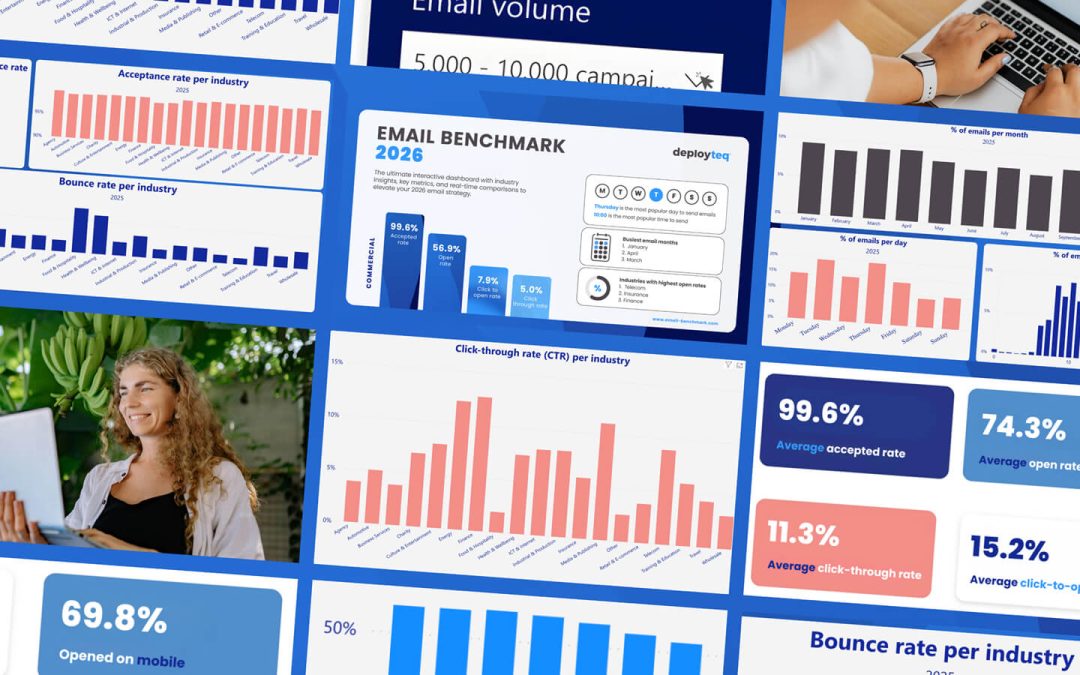
Monitor both bounce types in your email reports. Hard bounce rates above 2% suggest list quality problems, while soft bounce rates above 5% might indicate reputation issues or technical problems with your sending infrastructure.
How do you improve your sender reputation for better deliverability?
Building a strong sender reputation requires consistent email marketing best practices over time. Start with proper list hygiene—only send emails to people who’ve explicitly opted in to receive them. Remove bounced addresses promptly and make it easy for subscribers to unsubscribe rather than marking emails as spam.
Set up email authentication properly with SPF, DKIM, and DMARC records. These protocols verify your identity to email providers and show that you’re a legitimate sender. Work with your IT team or email platform to ensure these are configured correctly.
Maintain consistent sending patterns rather than sporadic bulk sends. Email providers prefer senders who maintain regular, predictable sending volumes. Sudden spikes in email volume can trigger spam filters, especially from new or low-reputation senders.
Focus on engagement by sending relevant, valuable content to properly segmented audiences. Higher open rates and click-through rates signal to email providers that recipients want your emails. Monitor engagement metrics and adjust your strategy based on what resonates with your audience.
What email content triggers spam filters most often?
Certain content elements consistently trigger spam filters and should be avoided in marketing emails. Email content optimisation starts with your subject line—avoid excessive capital letters, multiple exclamation marks, and obvious spam phrases like “Act now!” or “Limited time offer!”.
HTML formatting problems can flag your emails as spam. Avoid using too many images without sufficient text, broken HTML code, or invisible text. Email providers prefer clean, simple formatting that displays properly across different email clients.
Be careful with promotional language and calls to action. While you need to promote your products or services, balance promotional content with genuine value. Emails that read like advertisements without providing useful information often get filtered.
Links can trigger spam filters if they point to suspicious domains or use URL shorteners excessively. Use your own domain for landing pages when possible, and avoid including too many links in a single email. Test your emails to ensure all links work properly before sending.
How Deployteq helps with email deliverability optimisation
We’ve built advanced deliverability features into our email marketing platform to help you avoid spam folders and reach more subscribers. Our system includes built-in authentication setup, reputation monitoring, and content optimisation tools that work together to improve your email performance.
Key deliverability features include:
- Automatic list hygiene that removes bounced addresses and manages suppression lists
- Real-time reputation monitoring across major email providers
- Content analysis tools that flag potential spam triggers before you send
- Advanced segmentation to improve engagement rates and sender reputation
- Detailed deliverability reporting to track and optimise your performance
Our platform handles the technical complexities of email deliverability while giving you the insights you need to create campaigns that consistently reach the inbox. Ready to improve your email deliverability? Explore how Deployteq can help you build stronger relationships with your subscribers through better email marketing.