Your email footer might seem like an afterthought, but it’s actually one of the most critical elements determining whether your messages reach the inbox or get flagged as spam. A poorly crafted footer can destroy months of carefully built sender reputation and erode subscriber trust faster than you might imagine.
The truth is, email service providers scrutinize every element of your messages, and footers play a pivotal role in their filtering decisions. From compliance requirements to user experience factors, your footer sends powerful signals about your brand’s professionalism and trustworthiness. Get it wrong, and you’ll watch your email deliverability rates plummet while subscribers lose confidence in your communications.
Why your email footer determines inbox success
Email footers serve as the foundation of your message’s credibility and legal compliance. Internet service providers and email clients analyze footer elements as key indicators of legitimate, professional communication versus potential spam or phishing attempts.
When your footer lacks essential compliance elements or appears unprofessional, sophisticated spam filters immediately flag your messages as suspicious. This impacts not just individual email delivery, but your overall sender reputation across all future campaigns. The cumulative effect can devastate your email marketing performance, making it increasingly difficult to reach engaged subscribers.
Beyond deliverability, footers significantly influence subscriber trust and engagement. Recipients often scroll to the footer to verify sender authenticity, locate contact information, or manage their subscription preferences. A well-designed footer reassures subscribers about your legitimacy while providing clear pathways for continued engagement or easy unsubscription.
1: Missing or hidden unsubscribe links
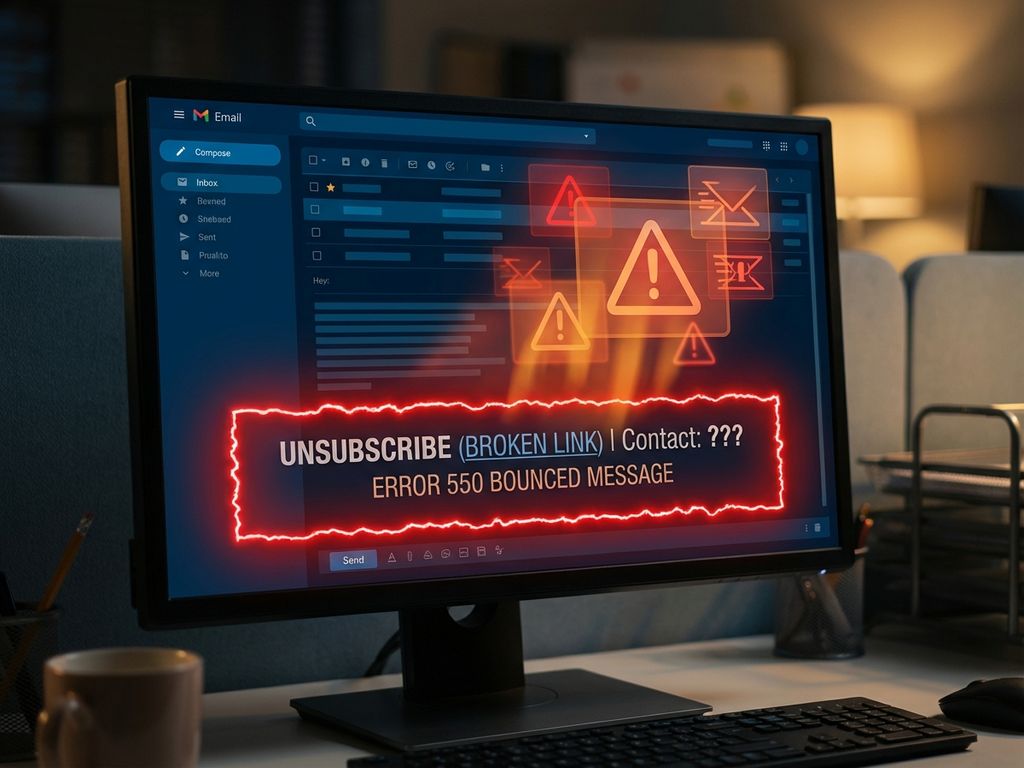
Perhaps the most critical footer mistake involves making unsubscribe options difficult to find or completely absent. Legal regulations like GDPR and CAN-SPAM mandate clear, accessible unsubscribe mechanisms, but compliance goes beyond mere legal requirements.
When subscribers struggle to unsubscribe, they resort to marking emails as spam instead. This devastating action signals to email providers that your content is unwanted, severely damaging your sender reputation. Spam complaints create a negative feedback loop that affects all future email delivery, not just messages to that particular recipient.
Best practice requires placing unsubscribe links prominently in your footer using clear, unambiguous language. Avoid hiding these links in tiny fonts or making them blend into the background. Instead, make unsubscribing a straightforward, one-click process that respects subscriber preferences while protecting your sender reputation.
2: Incomplete sender identification details
Anti-spam regulations require comprehensive sender identification, including your company name, physical mailing address, and legitimate contact information. Missing or incomplete details immediately trigger spam filters while creating trust issues with recipients.
Generic contact details like “noreply@company.com” or incomplete addresses signal to both algorithms and humans that you’re potentially hiding something. Email providers interpret incomplete sender information as a red flag, associating your messages with suspicious or fraudulent activity.
Professional email footers should include your complete business name, full postal address, and working contact details. This transparency builds trust while ensuring compliance with international email marketing regulations. Consider including multiple contact methods to demonstrate accessibility and customer service commitment.
3: Overloading footers with excessive content
Cluttered footers packed with excessive links, social media icons, promotional content, and unnecessary information can trigger spam filters while overwhelming subscribers. Email algorithms analyze content-to-promotional-link ratios, flagging messages that appear overly commercial or spammy.
Excessive footer content also creates poor user experiences, particularly on mobile devices where space is limited. When subscribers struggle to navigate cluttered footers, they’re more likely to mark messages as spam rather than engaging with your content or properly unsubscribing.
Focus on essential footer elements: unsubscribe links, sender identification, primary contact information, and perhaps one or two key social media links. Every element should serve a specific purpose for either compliance or subscriber value. For businesses looking to optimize their email marketing platform strategy, streamlined footers contribute significantly to overall campaign performance.
4: What happens when you skip mobile optimization?
With mobile devices accounting for the majority of email opens, non-optimized footers create significant deliverability and engagement problems. Tiny text, broken layouts, and inaccessible links frustrate mobile users while sending negative engagement signals to email providers.
Mobile-unfriendly footers often result in accidental spam reports when users struggle to find or click unsubscribe links. These unintended spam complaints damage your sender reputation just as severely as intentional ones, creating long-term deliverability challenges across all devices and email clients.
Ensure footer text remains readable on small screens, links are easily tappable, and layouts adapt gracefully to different screen sizes. Test your footers across various mobile devices and email clients to identify potential usability issues before they impact your campaign performance.
5: Using generic or outdated contact information
Generic email addresses, disconnected phone numbers, or incorrect business addresses immediately signal unprofessionalism to both subscribers and spam filters. These details suggest either negligence or intentional deception, both of which harm your sender reputation and subscriber trust.
Outdated contact information creates practical problems when subscribers attempt to reach you for legitimate reasons. When contact attempts fail, frustrated users often resort to spam complaints as their only recourse for stopping unwanted emails.
Regularly audit your footer contact information to ensure accuracy and responsiveness. Use monitored email addresses, working phone numbers, and current business addresses. This attention to detail demonstrates professionalism while providing subscribers with confidence in your legitimacy. If you need assistance with proper footer setup, you can contact us for expert guidance.
6: Ignoring footer branding consistency
Inconsistent branding elements in footers, including mismatched logos, colors, fonts, or messaging, confuse subscribers while weakening brand recognition. When footer branding doesn’t align with your main email content or website, recipients may question message authenticity.
Brand inconsistency also impacts subscriber trust and engagement rates. Recipients develop visual associations with trusted senders, and inconsistent branding disrupts these recognition patterns. This confusion can lead to reduced engagement or increased unsubscribe rates.
Maintain consistent visual branding across all footer elements, ensuring logos, color schemes, and typography align with your overall brand guidelines. This consistency reinforces brand recognition while building subscriber confidence in your communications.
Transform your email footers into trust-building assets
Your email footer represents far more than a compliance necessity; it’s a powerful tool for building subscriber trust while protecting your deliverability reputation. By addressing these common mistakes, you transform potentially damaging footer elements into assets that support your email marketing objectives.
Focus on clarity, compliance, and user experience when designing your footers. Ensure unsubscribe links are prominent and functional, include complete sender identification, avoid content overload, optimize for mobile devices, maintain accurate contact information, and preserve brand consistency throughout.
Remember that footer optimization is an ongoing process requiring regular audits and updates. As regulations evolve and user expectations change, your footers must adapt accordingly. For businesses ready to implement comprehensive email footer strategies, consider exploring how professional platforms can streamline this process—book a demo to see advanced footer management capabilities in action.
What footer mistakes have you noticed impacting your email campaigns, and which improvements will you prioritize first?
How Deployteq helps with email footer optimization
Deployteq provides comprehensive solutions for creating compliant, high-performing email footers that protect your deliverability while building subscriber trust. Our platform ensures your footers meet all regulatory requirements while maintaining professional branding consistency across all campaigns.
Key benefits include:
- Automated compliance checking for GDPR, CAN-SPAM, and other regulations
- Mobile-responsive footer templates that adapt to all devices
- Built-in unsubscribe management with one-click functionality
- Brand consistency tools to maintain visual alignment
- Real-time footer testing across multiple email clients
- Comprehensive analytics to monitor footer performance and engagement
Ready to transform your email footers into powerful trust-building assets? Schedule a demo today to see how Deployteq can optimize your email footer strategy and boost your deliverability rates.